
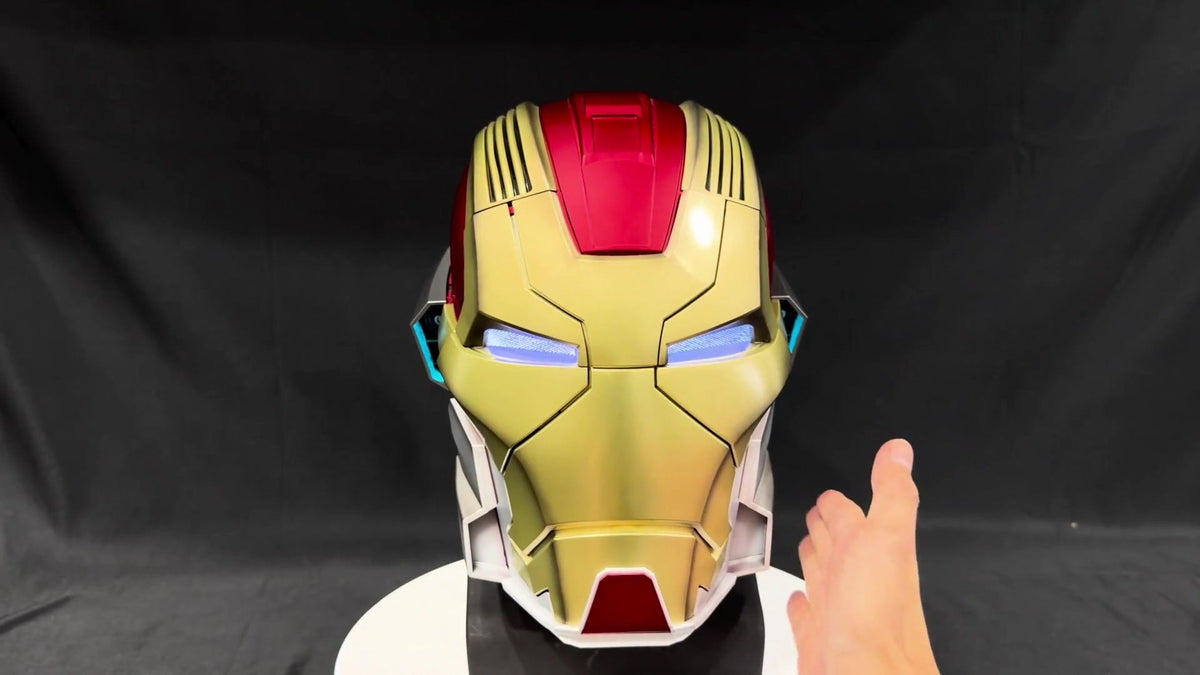
This red-and-gold cosplay helmet demonstration shows a handheld remote, moving front panels and illuminated eyes. Over about 29 seconds, the helmet opens and closes on a display head while the presenter shows it from front and angled views. The final sequence keeps the remote in view during the return to the closed position.
For buyers comparing interactive helmets, the clip provides a useful look at visible functions. It also helps separate what a demonstration shows from features that still need to be checked on the selected model's listing.
What can you see in the remote-control demonstration?
The gold face panels lift and separate above the forehead, revealing the black display head. As they close, the sections return to the helmet's front profile. A small black handheld remote appears in several shots, including the final closing sequence.
The eye area appears pale blue-white when illuminated. Later open views also show colored lighting around the lower side sections. These details distinguish the visual effect of the eyes from the additional lights seen around the shell.
| Feature | Evidence in this clip | Still check on the listing |
|---|---|---|
| Moving front panels | Opening and closing sequences are visible | The mechanism offered on the selected model |
| Handheld remote | A remote is shown during the demonstration | Included controller and model-specific instructions |
| LED effects | Illuminated eyes and colored lower-side lights | Available modes and power requirements |
| Wearable fit | The helmet sits on a display head | Dimensions, fit guidance and wearer visibility |
A short viewing guide
- 0:00–0:06: Compare the closed front, raised panels and visible handheld remote.
- Around 0:08–0:15: Angled views reveal the side finish, eye effect and another open position.
- Around 0:19–0:24: The open helmet shows colored lights near the lower sides.
- Around 0:25–0:29: Watch the final closing sequence with the remote in the foreground.
Compare controls on the exact model
Red-and-gold coloring alone does not identify a helmet's model or control package. When browsing the YONTYEQ cosplay helmet collection, compare the crown, side trim and face-panel shapes as well as the stated controls.
A remote appearing in a video is useful evidence of the demonstrated setup, but it does not reveal the controller's range, battery life or all button functions. Those details should come from the listing and supplied instructions. For the visual difference between positions, see our open-versus-closed display guide.
Frequently asked questions
Is the faceplate fixed?
No. The video shows several front panels moving between open and closed positions.
Does this video prove voice or touch control?
The visible remote and panel movement do not by themselves establish either feature. Check the exact model's stated control methods rather than assuming all interactive helmets work alike.
Can I tell whether it will fit me from the display head?
No. Use the model's dimensions and our helmet measurement guide. A display head cannot establish individual comfort or field of view.
Does the order include the stand and remote shown here?
Confirm both against the package contents of the selected model. The video shows a demonstration setup, not a complete packing list.
Compare current helmet designs and control options before choosing the version for your costume or display.
Share:
Y6 Slingshot Close-Up: How to Compare Product Photos and Video
Y6 Slingshot Close-Up: How to Compare Product Photos and Video