How to Choose an LED Cosplay Helmet: Voice Control, Touch Sensor and Display Use
An LED cosplay helmet should look good in person, work well on camera, and match how you plan to use it. Some buyers need a wearable event prop, while others want a display piece for a shelf, studio, or collector room.

1. Decide Your Main Use
- Conventions and events: prioritize fit, comfort, and simple operation.
- Short videos and photos: prioritize LED eyes, faceplate movement, and strong visual contrast.
- Collector display: prioritize finish, shape, and shelf presence.
- Gift buying: choose a style with clear controls and broad appeal.
2. Compare Control Modes
Voice control feels hands-free and dramatic. Touch sensor control is fast when wearing the helmet. Remote control is useful when filming, displaying, or letting someone else trigger the helmet movement.
3. Check Whether It Is for Display or Protection
YONTYEQ cosplay helmets and wearable masks are designed for costume, display, photography, and role play. They are not safety helmets and should not be used for riding, sports, construction, or impact protection.
4. Recommended Starting Points
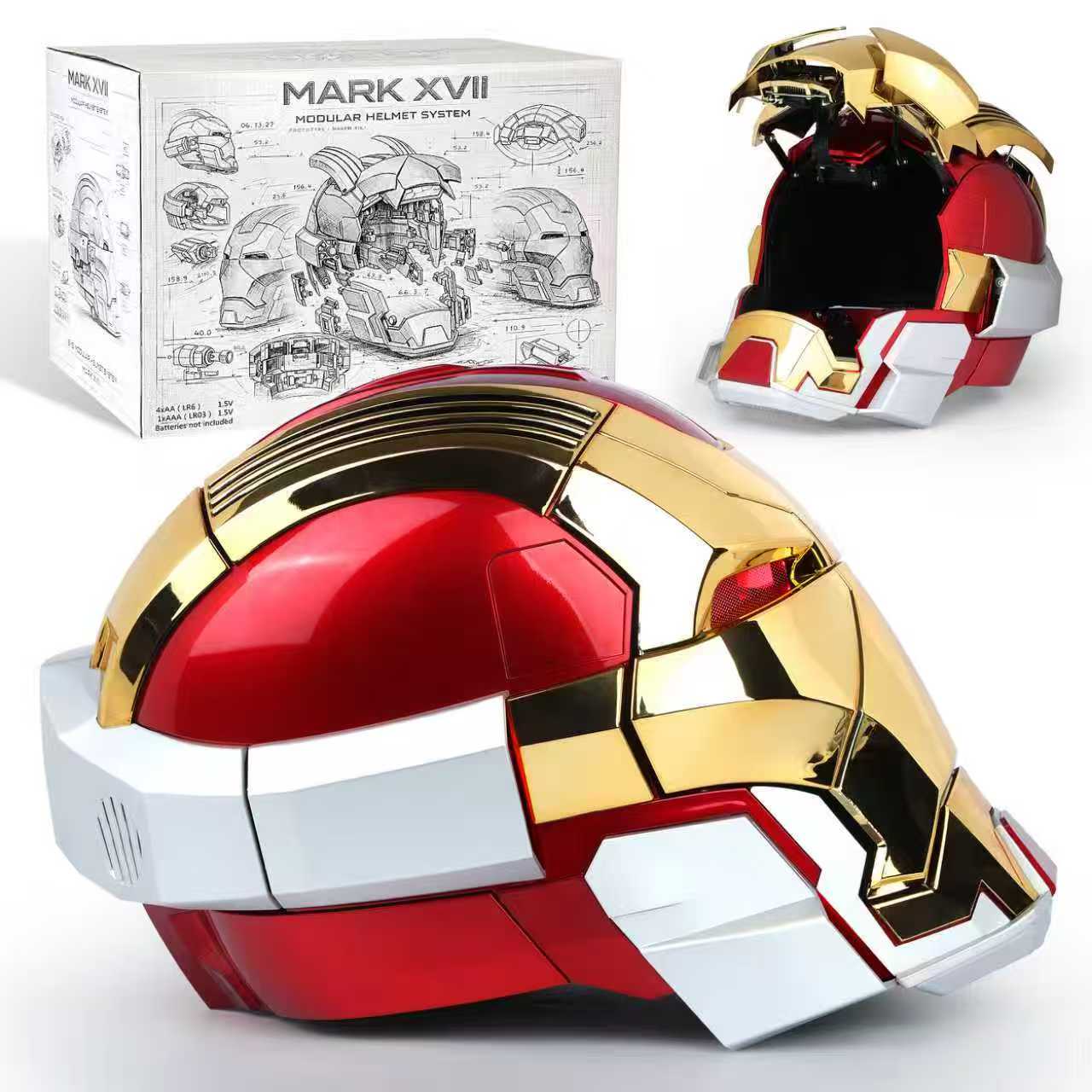
- Iron Hero MK17 Smart Cosplay Helmet for LED eyes, Bluetooth audio, and strong display impact.
- Iron Hero MK50 Voice Control Helmet for voice, touch, and remote operation.
- Red Web Hero Mask with Display Stand for shelf display and costume styling.
Browse the Collection
See all options in YONTYEQ Role Play Gear, or read the best LED cosplay helmets guide.
Secure checkout | 30-day returns | Ships in 1-2 business days | Tracked delivery
Share:
Motorized Surfboard Buying Guide: Gas Jetboard vs Electric Jetboard
Slingshot Accessories Guide: Bands, Ammo Tubes and Safe Target Practice Setup